A 3D scene gives me the composition and structure. Exporting clay renders and depth passes lets me use that structure to guide AI generation while exploring the look and materials.
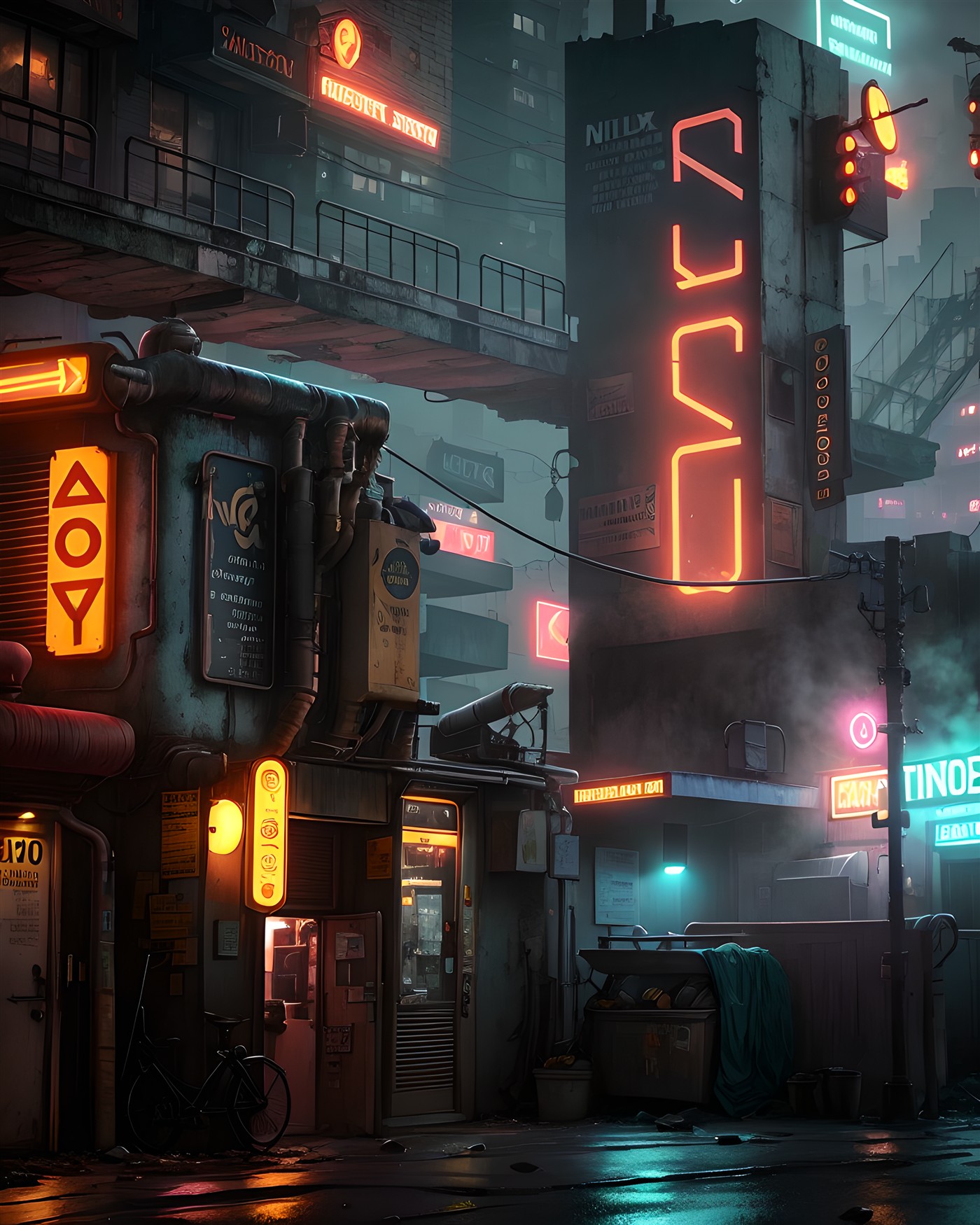
Start with structure.
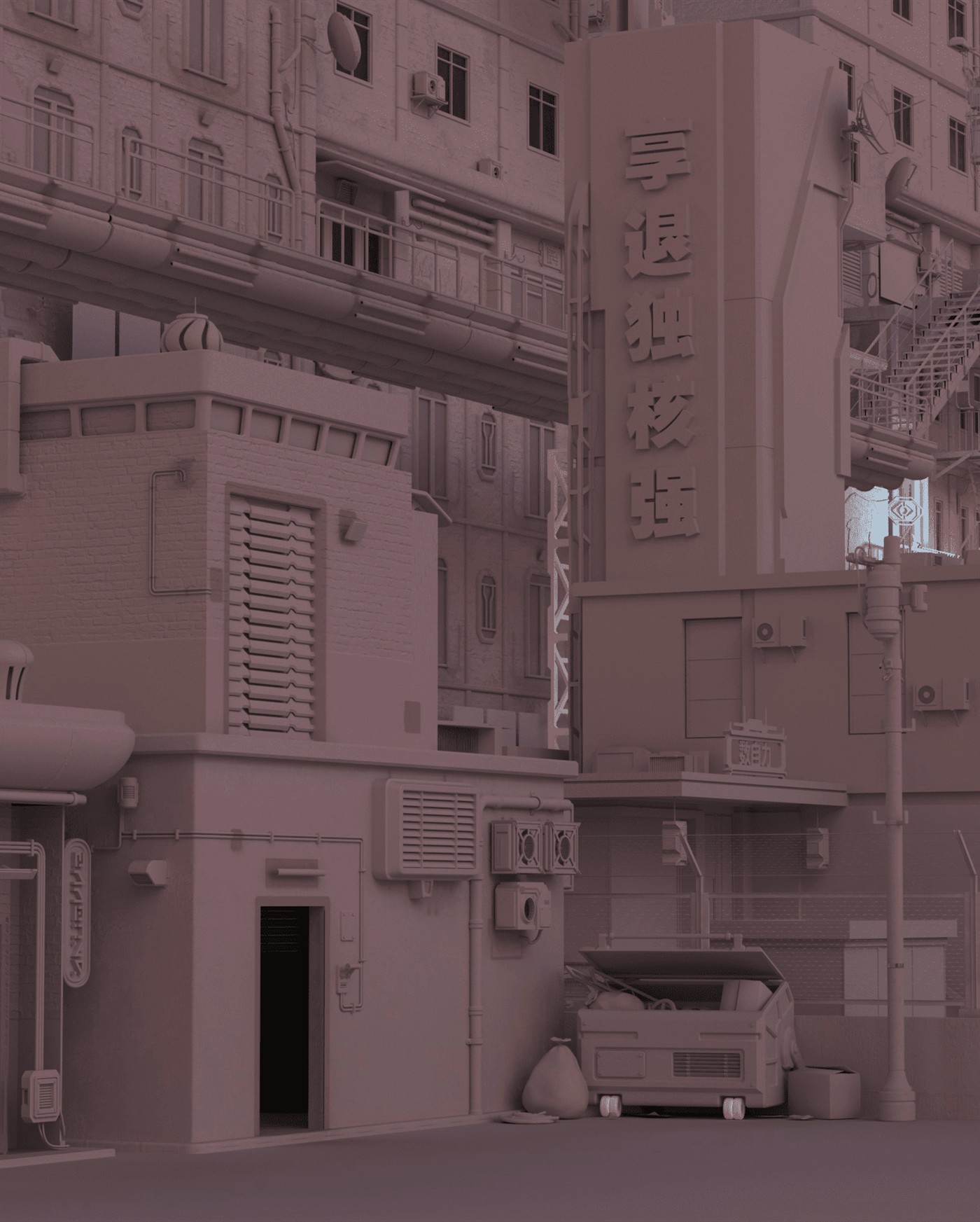
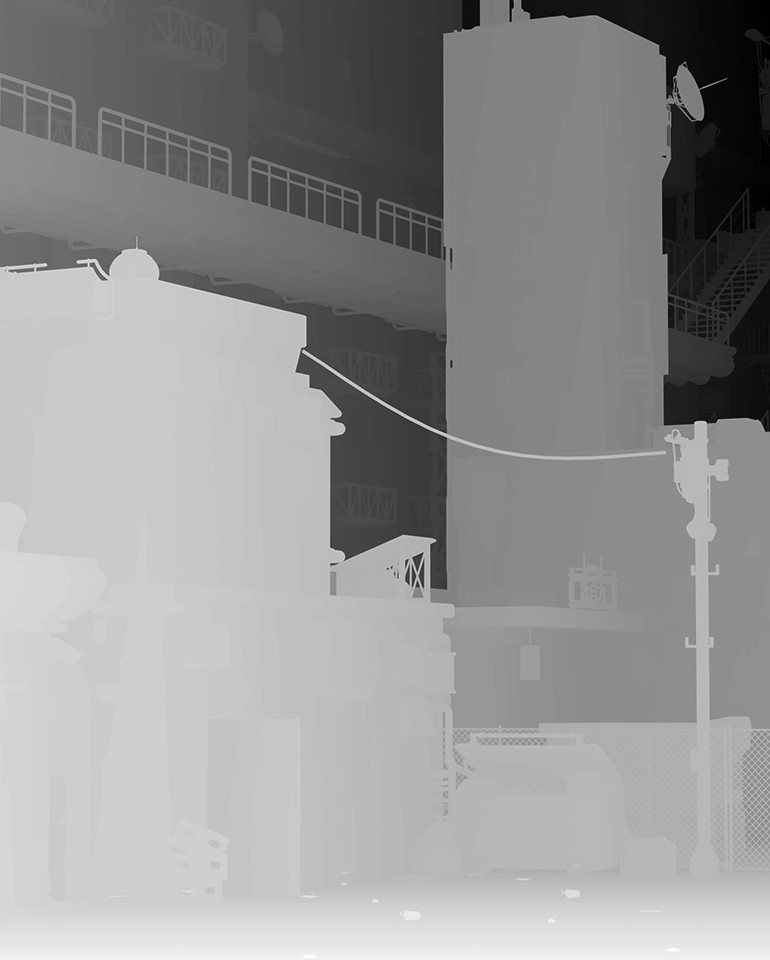
The clay render establishes the geometry, camera, and composition. The inverted depth pass uses white for areas close to the camera and black for distant areas, providing another way to guide the generation.
Make choices.
Then bring them together.
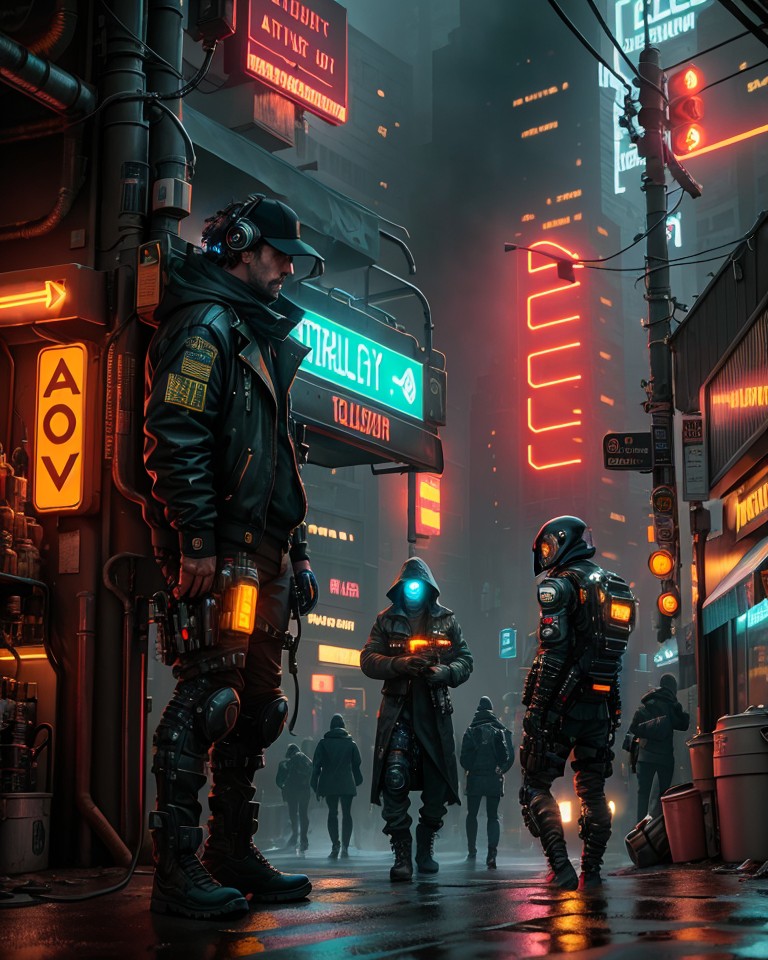
I generated multiple versions using different seed values, selected the strongest elements, and combined them in Photoshop. I then passed the composite through Stable Diffusion at a low denoise value to unify the image and make the lighting consistent.
The process let me direct the texture of different parts of the scene while keeping the underlying composition.
Watch the walkthrough.
Video loads from YouTube when you press play.